Steps
- In the console, open Account and then Profile.
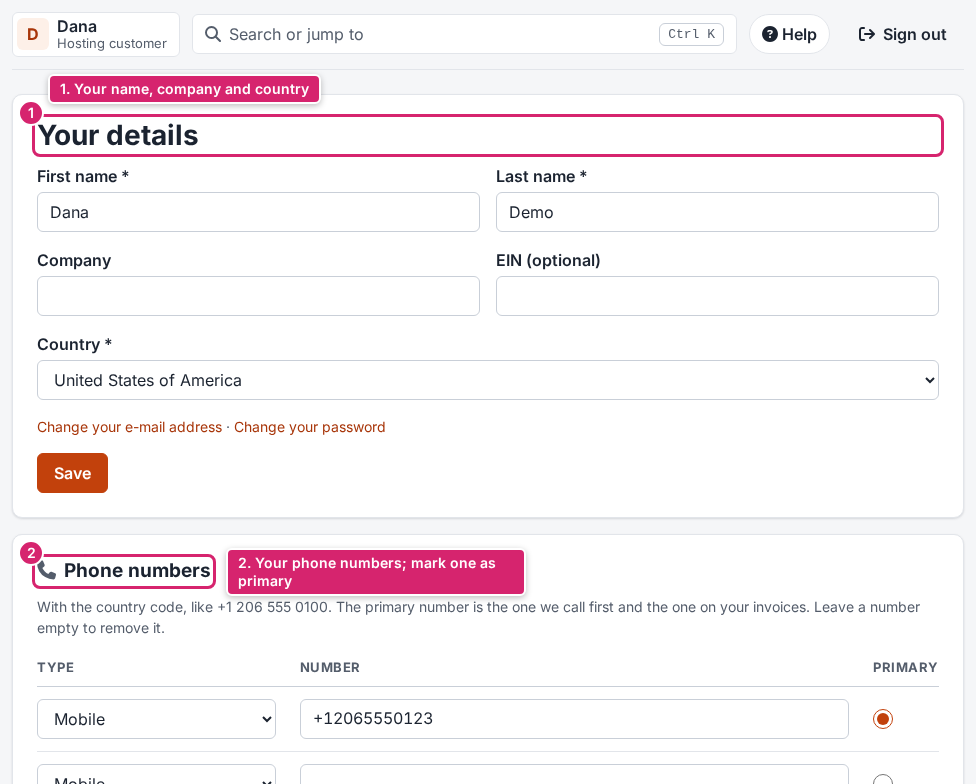
- Under Your details, change your first and last name, company, EIN (optional) or country, and click Save.
- Under Phone numbers, add or change numbers with their type, mark one as Primary, and click Save phone numbers.
- Open Addresses to change your billing address, and save.
- Open Contacts and click Add a contact to add someone who should get notices, for example your bookkeeper.
Result
Your changes are saved at once and used on your next invoice and notice. Invoices already made keep the address they were made with.
What to do next
- To change your e-mail address, see Change your e-mail address.
- To let someone sign in to your account, invite them as a user instead. See Invite team members and set what they can do.
If something goes wrong: a page that says you have no permission means your user of the account may not change the profile. Ask the account owner.