Maintenance mode shows every visitor a "Down for maintenance" page with your message, and tells search engines to come back later, so your ranking is not harmed. Your editor at edit. keeps working, certificates keep renewing, and you get a private preview link to see the site as it is.
Before you begin
You are the account owner, or your user of the account has the permission Manage products and services.
Steps
- Open the site and its Settings tab.
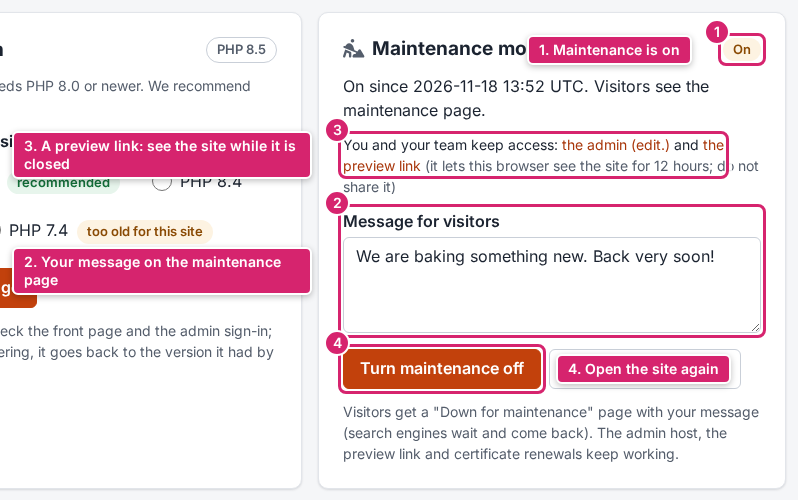
- Under Maintenance mode, type your Message for visitors (up to 500 characters), for example when you will be back.
- Click Turn maintenance on and confirm.
- To look at the closed site yourself, open the preview link shown in the card. It works in that browser for 12 hours.
- When you are done, click Turn maintenance off.
Result
While maintenance is on, the site page and the host card say Maintenance mode is ON, and visitors see your message. Turning it off opens the site again within a minute. You get an e-mail for each change.
What to do next
- Change the message while the site is closed with Update the message.
- Redirects keep working during maintenance.
- Share the preview link only with people who should see the site before it reopens.
If something goes wrong: if the site doesn't open again after you turned maintenance off, reload with Ctrl + Shift + R; still closed? Open a ticket with the priority Urgent.