A transfer moves the hosting with its domains, aliases, subdomains, add-ons, billing and renewals to another 7x account. The site itself keeps working: files, e-mail, DNS and the control panel are not touched. Invoices you already paid stay yours, and nothing is refunded or charged twice. You lose access once it is accepted.
Before you begin
You are the account owner. The receiving customer already has a 7x account. You can move up to 30 hosts and domains at once.
Steps
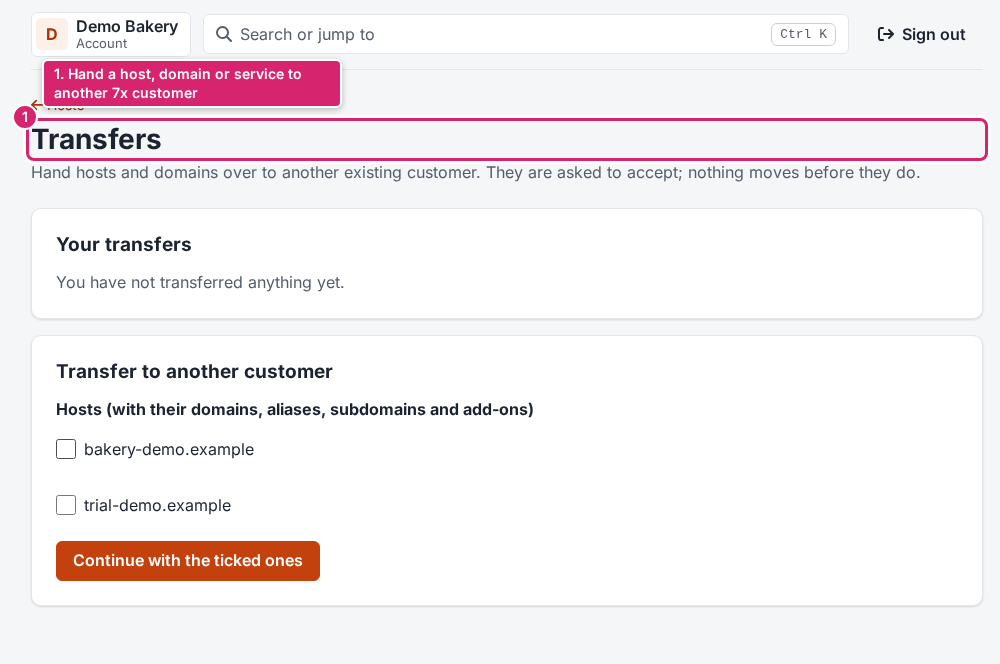
- Open Transfers in the menu, or click Transfer to another customer on a host's, domain's or service's page.
- Tick what should move. A domain that belongs to a host moves with its host.
- Read what moves and what doesn't, and type the receiving customer's e-mail address.
- Confirm it is you with your password or your second step, and type the domain name (or
TRANSFERand the number of items). - Send the transfer.
Result
The receiving account's owner gets an e-mail and accepts or declines on their Transfers page within 7 days. When accepted, the move runs at once and you both get an e-mail. Until then you can withdraw it.
What to do next
Good to know
- For privacy, the page never says whether an address has an account: "If this account exists, they'll be asked to accept."
- A registered domain keeps its registrant contact until the new owner updates it.
- Declined or expired transfers show as "Not accepted"; nothing moved.
Need help? Open a ticket; staff can also move hosting between accounts for you.